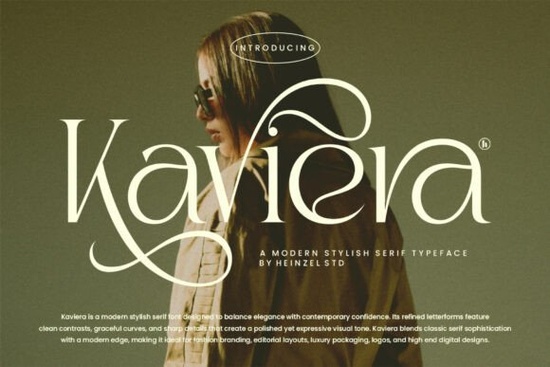
If you're looking for a serif font that feels both timeless and fresh something that works just as well on a boutique clothing tag as it does in a digital magazine layout Kaviera Font is worth your attention. It’s not overly ornate, but it’s never plain. The letterforms are carefully balanced: soft curves meet crisp contrast, and each character carries quiet confidence without shouting. That makes it especially useful if you design for small fashion brands, create print-on-demand stationery, or craft elegant social media graphics for local businesses.
When does Kaviera work best?
Kaviera shines where tone and texture matter most. Think of it as the kind of typeface you’d choose when you want people to feel something before they even read the words like sophistication, care, or intentionality. It’s particularly effective for:
- Fashion branding (logos, lookbook headers, hang tags)
- Luxury packaging (candles, skincare, artisanal food labels)
- Editorial layouts (magazine titles, pull quotes, feature intros)
- High-end digital projects (email headers, landing page hero text, portfolio site headings)
Because it’s a modern serif not a traditional one it avoids feeling dated or stiff. You’ll notice subtle details like the tapered serifs on uppercase letters and the gentle swell in lowercase ‘e’ and ‘a’. These aren’t gimmicks; they’re thoughtful refinements that help Kaviera hold its own at small sizes and scale beautifully at large ones.
How does it compare to other modern serifs?
Not all contemporary serifs behave the same way. Some lean too far into minimalism and lose warmth; others add too much flair and become hard to pair. Kaviera sits comfortably in the middle refined but approachable. If you’ve used Tuscany Shade, you’ll recognize a shared sense of grace, though Tuscany Shade leans slightly more romantic and calligraphic. Meanwhile, The Lancher Shine offers bolder contrast and sharper angles great when you want drama, while Kaviera delivers polish with restraint.
For designers who regularly switch between branding, packaging, and web use, having a versatile serif like this helps keep visual language consistent across touchpoints. It pairs naturally with clean sans-serifs (think Montserrat, Inter, or Poppins) for body text, and doesn’t compete with photography or illustration it supports them.
What file formats and features does it include?
Kaviera comes with full Latin character sets, standard ligatures, and multilingual support covering Western and Central European languages. You’ll get OTF, TTF, and WOFF files so whether you’re using it in Adobe Creative Cloud, Canva, Cricut Design Space, or a WordPress theme, it’s ready to go. There’s also a handy style guide included with pairing suggestions and spacing tips, which is especially helpful if you’re new to typography or working under tight deadlines.
One practical note: because of its strong contrast and open counters, Kaviera reads well on screen but avoid using it below 14px for body copy. Reserve it for headlines, logos, and short impactful phrases. For longer text blocks, pair it with a friendly, highly legible sans-serif.
Who’s using fonts like Kaviera right now?
We see small business owners using Kaviera for custom wedding invitations and boutique skincare labels especially when they want to signal quality without relying on gold foil or heavy textures. Print-on-demand sellers report strong engagement with apparel designs featuring Kaviera in minimalist quotes or monogrammed initials. And freelance designers often reach for it when clients ask for “something classic but not boring.”
If you’re curious about how Kaviera fits into current design trends, it aligns well with the ongoing shift toward intentional typography where type isn’t just functional, but part of the brand story. It’s also compatible with popular tools like Silhouette Studio and Procreate (via font installation), so crafters and illustrators can use it in physical and digital workflows alike.
For reference, you can explore similar options directly on Creative Fabrica: Kaviera Font, Tuscany Shade Font, and The Lancher Shine Font.
Before you download: a quick checklist
- ✅ Test it at different sizes especially 24px, 48px, and 96px to see how the contrast holds up
- ✅ Try pairing it with one neutral sans-serif first (e.g., Inter or Open Sans) before adding decorative accents
- ✅ Check your software’s font activation method some platforms require manual installation for OTF/TTF files
- ✅ Save a version of your project with fallback fonts in case you share files with collaborators who don’t have Kaviera installed
If you already have a project in mind whether it’s rebranding a local café or designing a set of printable quote cards go ahead and try Kaviera as your headline font. Often, the best way to know if a typeface fits is to use it where it matters most.
Get Started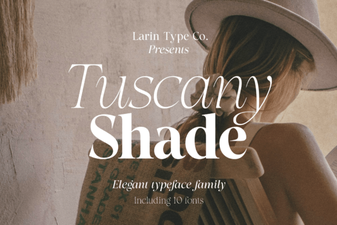 Creative Design Projects with Tuscany Shade Font
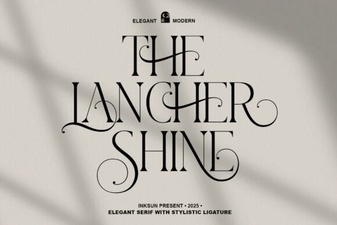 The Lancher Shine Font: Design Value & Creative Uses
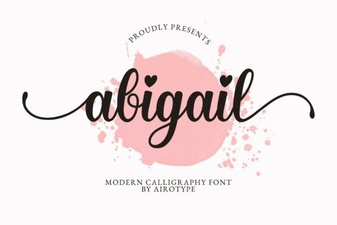 The Abigail Font: Elegant Typography for Modern Design
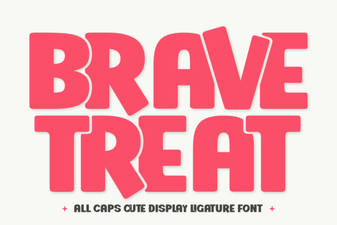 Brave Treat Font: Creative Typeface Design & Inspiration
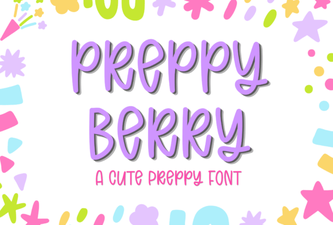 Preppy Berry Font for Web Projects & Design
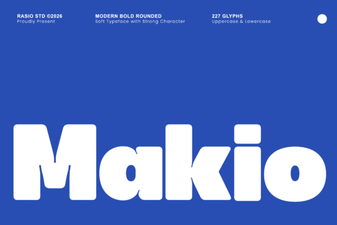 Makio Font: Modern Design for Creative Projects