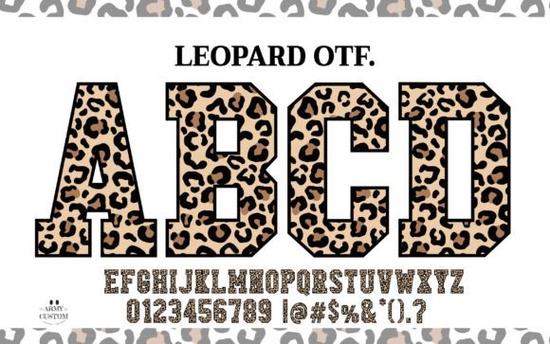
If you're looking for a bold, eye-catching font that stands out on apparel, mugs, or social media graphics without needing advanced design skills the Leopard Varsity Font is a practical choice. It’s not just another decorative typeface: it’s a color font with built-in leopard-print textures baked right into each letter, giving your text instant visual texture and personality. Unlike standard fonts that rely on overlays or manual fills, this one works natively in compatible software so what you type is what you get, instantly.
How does the Leopard Varsity Font actually work?
This is a color font, meaning each character includes layered colors and patterns not just outlines. That’s why the leopard spots appear seamlessly within letters like “A,” “R,” or “S.” The design mimics the organic variation of real leopard fur: no two letters look exactly alike in detail, but they hold consistent weight, spacing, and rhythm. You’ll get both a full-color version (best for digital use or print-ready PDFs) and a black-only version optimized for cutting machines like Cricut Design Space, Silhouette Studio, or Brother ScanNCut.
The black version is especially useful if you’re making iron-on transfers, vinyl decals, or heat-pressed t-shirts. Since it’s a single-color vector outline, it cuts cleanly without registration issues or multi-layer alignment. You can also recolor it easily in design software say, switching from black to navy or burgundy while keeping all the varsity-style thickness and athletic flair intact.
Who uses this font and where does it fit best?
Designers and small business owners often reach for the Leopard Varsity Font when they need something that feels handmade but scales well across formats. Think: boutique gym merch, wildlife-themed baby onesies, festival posters, or even café chalkboard menus with a playful edge. It’s also popular among print-on-demand sellers because it adds instant character to minimalist product mockups no extra graphics needed.
Crafters appreciate how little setup it requires. If you’ve ever spent 20 minutes trying to mask, layer, and align a leopard pattern behind text in Canva or Illustrator, you’ll notice the difference right away. With this font, the texture is the text.
What software supports it?
You’ll get the most out of the full-color version in apps that support OpenType-SVG or COLR/CPAL color fonts including Adobe Illustrator (v26.0+), Photoshop (v23.0+), Affinity Designer, and newer versions of CorelDRAW. For cutting machines, stick with the black outline version (.ttf or .otf), which loads directly into Cricut Design Space as a system font no upload required.
One thing to keep in mind: older versions of some programs (like older Illustrator or basic versions of Canva) won’t display the color layers. In those cases, the black version still delivers strong impact, especially paired with a textured background or subtle shadow effect.
How does it compare to other animal-inspired fonts?
There are plenty of zebra, cheetah, or snake-patterned fonts out there but few match the balance this one strikes between wild energy and clean readability. It avoids being overly cartoonish or too abstract. Letters retain clear shapes, so “SALE” or “FAMILY” stays legible even at smaller sizes. That makes it more versatile than purely ornamental options, especially for product labels or Instagram story text.
You’ll also find it pairs naturally with simpler sans-serifs (for contrast) or handwritten accents (for warmth). Try pairing it with neutral tones cream, charcoal, olive or rich jewel tones like rust or deep teal. It doesn’t need much else to shine.
If you like this style, you might also enjoy browsing our collection of colorful fonts with natural textures, including marble, woodgrain, and watercolor variations all designed with crafters and small studios in mind.
A quick checklist before you download
- ✅ Check your software version especially if you plan to use the color version.
- ✅ Use the black version for cutting machines; install it as a system font first.
- ✅ Test at multiple sizes: it holds up well at 48pt+, but may lose fine spot detail under 24pt.
- ✅ Avoid stretching or skewing the font it’s carefully spaced and proportioned as-is.
- ✅ For DTG or sublimation printing, export as high-res PNG (300dpi) or vector PDF to preserve crisp edges.
It’s a thoughtful tool not a shortcut. But when your goal is to add personality, texture, and quiet confidence to everyday designs, the Leopard Varsity Font earns its place in your toolkit.
Explore Design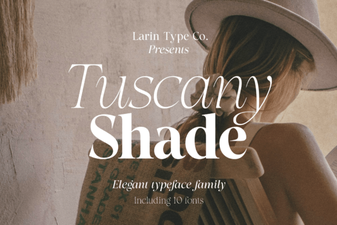 Creative Design Projects with Tuscany Shade Font
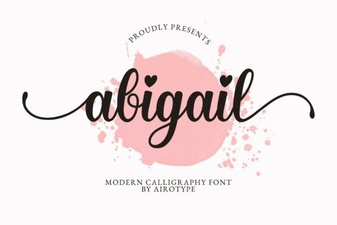 The Abigail Font: Elegant Typography for Modern Design
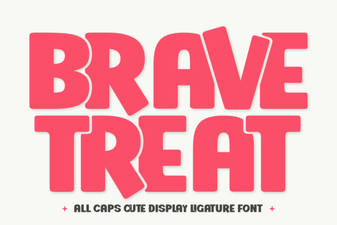 Brave Treat Font: Creative Typeface Design & Inspiration
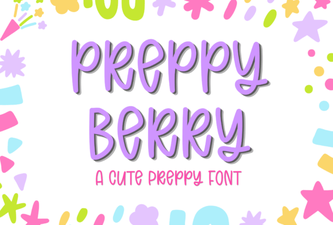 Preppy Berry Font for Web Projects & Design
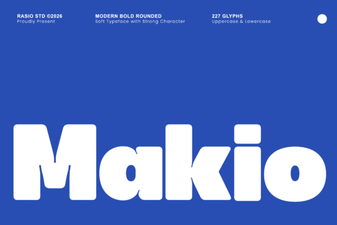 Makio Font: Modern Design for Creative Projects
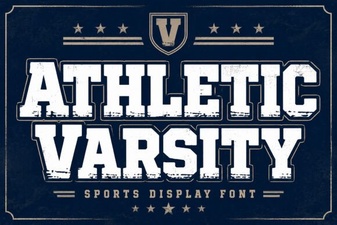 Varsity Font Designs & Creative Sports Lettering