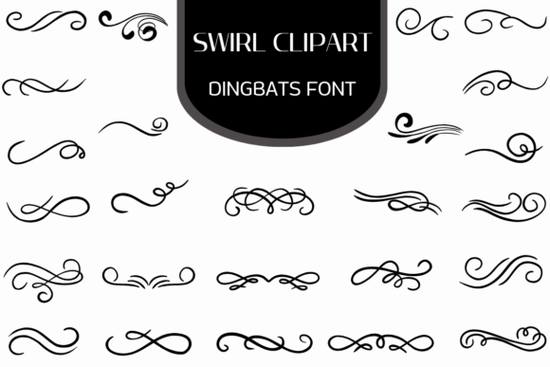
If you're looking for a quick, scalable way to add elegant swirls and flourishes to your designs without wrestling with vector files or layering multiple elements the Swirl Clipart Font is worth keeping in your toolkit. It’s not a traditional alphabet font, but a dingbat font packed entirely with hand-drawn swirl clipart, ornamental borders, corner accents, and decorative dividers. Because each glyph is a clean vector shape built into a font file, you can type them like letters, resize them infinitely, and recolor them with one click no design software expertise required.
How does a “swirl clipart font” actually work?
Think of it like using symbols instead of letters. Install the font on your computer, open any program that supports custom fonts (like Adobe Illustrator, Canva, Cricut Design Space, or even Microsoft Word), and select the Swirl Clipart Dingbats Font from your font menu. Then use your keyboard to insert individual swirls each key corresponds to a unique flourish, scroll, or bracket-style element. No copy-pasting, no resizing headaches, no pixelation when scaled up for large prints.
Who uses this kind of decorative font and why?
Designers building wedding stationery often reach for it to frame names or separate sections on invitations and menus. Crafters making printable planners or bullet journals use it to create subtle section dividers or page corners without cluttering layouts. Print-on-demand sellers add these swirls to t-shirt graphics, mugs, and wall art as standalone motifs or layer them behind text for vintage-inspired branding. Small business owners designing thank-you cards, certificates, or product labels appreciate how quickly it adds polish without outsourcing to a designer.
What makes these swirls different from free SVG bundles?
Most free swirl clipart comes as raster images (PNGs) or grouped SVGs that need manual ungrouping and adjusting. With this dingbat font, every swirl is a single, editable glyph so you can apply gradients, shadows, or transparency as part of the text layer. You don’t lose editability when scaling, and you avoid stacking dozens of layers just to build one border. It also loads faster in web-based tools like Canva, since it’s treated as text not embedded image assets.
Can I use it commercially?
Yes. The license allows unlimited personal and commercial use including selling physical products (like greeting cards or fabric prints) and digital downloads (like Canva templates or Procreate brushes) that include elements from the font. Just make sure your end users aren’t granted the right to extract and redistribute the font file itself. That’s standard for most Creative Fabrica fonts, including popular options like Vintage Script Font or Floral Border Font.
Where do people commonly go wrong with decorative fonts?
A few small things slow people down:
- Not checking compatibility first: While it works in most modern apps, some older versions of Silhouette Studio or basic word processors may not render dingbats correctly. Test with a free sample character before starting a big project.
- Overusing flourishes: One well-placed swirl in a corner or as a section break often reads more clearly than three competing ones. Less is usually more with ornamental elements.
- Forgetting to outline text before sending to print vendors: If you’re submitting files to a printer, convert the swirl glyphs to outlines (in Illustrator: Type > Create Outlines) so they appear exactly as intended even if the vendor doesn’t have the font installed.
Real projects you can make this week
You don’t need a big launch or client project to try it out. Here are three low-effort, high-impact ideas:
- Create a printable “Thank You” card for your Etsy shop use a large swirl as a background accent behind your logo, then type your message over it.
- Design a simple Instagram Story template: add two mirrored swirls as top-and-bottom borders, drop in your weekly tip or promo, and export as PNG.
- Make a DIY certificate for your child’s reading challenge frame the text with corner swirls and use a centered flourish above the signature line.
If you’ve been manually placing and resizing clipart for too long, installing the Swirl Clipart Dingbats Font takes under two minutes and pays for itself the first time you skip hunting through folders for “that one perfect curl.” Keep it in your fonts folder, test one glyph in your next project, and notice how much faster and more consistent your decorative touches become.
Learn More Creative Design Projects with Tuscany Shade Font
 The Abigail Font: Elegant Typography for Modern Design
 Brave Treat Font: Creative Typeface Design & Inspiration
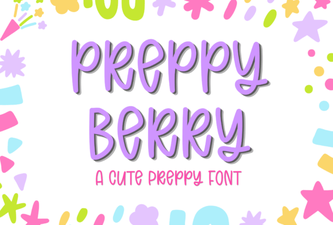 Preppy Berry Font for Web Projects & Design
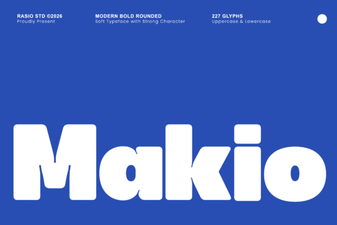 Makio Font: Modern Design for Creative Projects
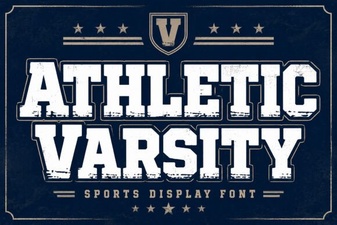 Varsity Font Designs & Creative Sports Lettering